
Angle Relief Examples
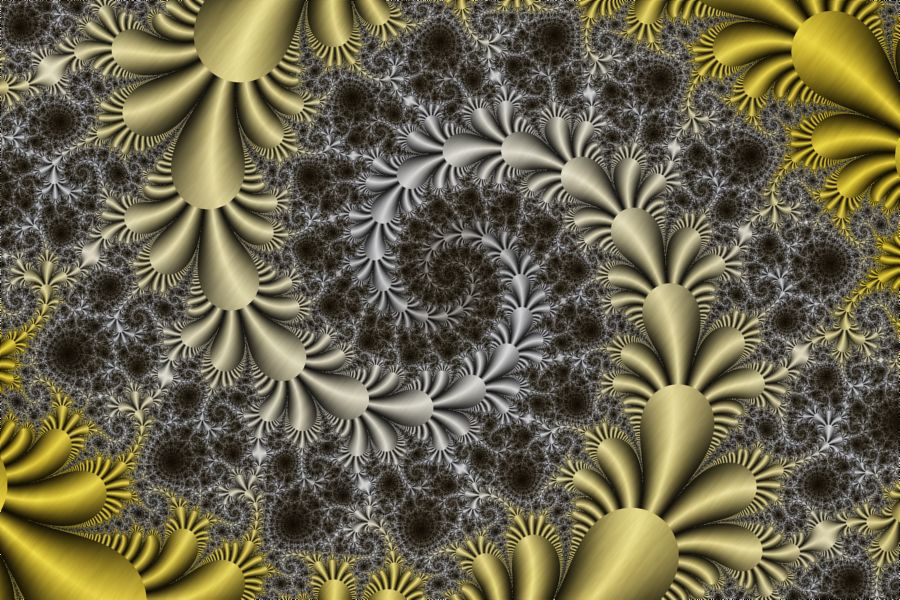
Spinning Gold |
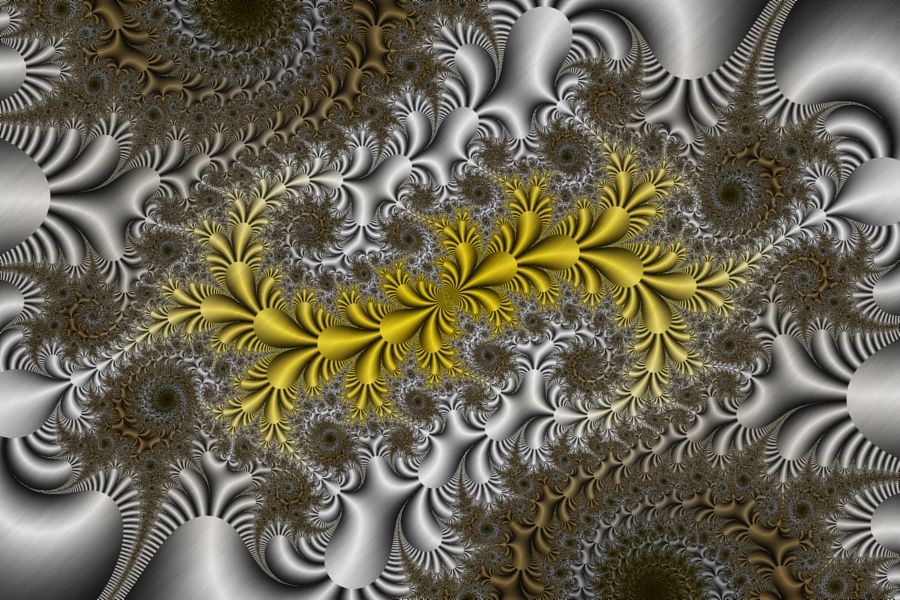
Gilded Fronds |
The Angle Relief examples color the fractal using a 3D relief based on the angle at each sample point.
Note the following:
| Example | Fractal Type | Fractal Equation |
| Angle Relief x2 01 | Julia Fractal | Exp 5 |
| Angle Relief y2 01 | Julia Fractal | Trig 13 |
In the remaining sections, when I refer to the equation, I will use Exp 5, but you should use the equation for the example you are working with.
Zoom In/Out
Zoom In or Zoom Out to examine different parts of the fractal.
Execute the Home command on the View menu of the Fractal Window to reset the fractal to the default position/magnification, and then Zoom In to other areas.
Remember that as you Zoom In, you may need to increase the Max Dwell property found in the Orbit Generation section of the General page.
Change the Julia Constant
You can generate other Julia Fractals based on the same equation.
Select the Fractal Equation:
General
Mandelbrot / Julia /
Newton
Fractal Equation: Exp 5
Uncheck the Julia checkbox, execute the Home command on the View menu of the Fractal Window to reset the Mandelbrot fractal to the default position/magnification, and use the Preview Julia command to explore the Mandelbrot's many different Julia Fractals. See Working with Julia Fractals for details.
Alternatively, you can change the Julia Constant property on the Fractal Equation page, and then click the Preview Fractal toolbar button on the Properties Window to generate a preview of your change in the Preview Window.
Change the Fractal Equation
You can change the Fractal Equation used to generate the fractal.
The Angle Relief examples color the fractal using a 3D relief based on the angle at each sample point. The angle associated with a sample point is affected by the Magnitude property found on the Orbit Generation section on the Mandelbrot / Julia / Newton page. The default Magnitude setting is x^2+y^2. However, the Angle Relief x2 01 example sets Magnitude to x^2 and the Angle Relief y2 01 example sets Magnitude to y^2. This is not an arbitrary choice. Many Fractal Equations are more suited to one of these alternate settings due to the functions that make up the equation. To this point, several of the equations will provide a property to override the default Magnitude on the equation's properties page.
In addition to resetting the Magnitude property, these examples use a color controller that generates a 3D relief based on the sample point's Angle. The Angle Relief x2 01 example uses the controller Gradient Map - Angle Relief (x^2), and the Angle Relief y2 01 example uses the controller Gradient Map - Angle Relief (y^2). It is important to match the equation to the appropriate controller for the best results as given below.
For Angle Relief x2 01, select the Fractal Equation:
General
Mandelbrot / Julia / Newton
Fractal Equation: Exp 5
Change the Based On property to one of the following Fractal Equations:
- NanoGeometry 1
- NanoGeometry 4
- NanoGeometry 5
- Trig 2
- Trig 11
- Trig 17
- Exp 1
- Exp 2
- Exp 3
- Exp 4
- Exp 5
- Exp 6
- Exp 7
- Exp 8
- Exp 9
- Exp 10
- Exp 11
- Exp 12
- Exp 13
- Exp 14
- Exp 15
- Exp 16
- Exp 17
- Z Power 1
- Z Power 2
- Z Power 3
These are the equations that look best with the Magnitude set to x^2.
For Angle Relief y2 01, select the Fractal Equation:
General
Mandelbrot / Julia / Newton
Fractal Equation: Trig 13
Change the Based On property to one of the following Fractal Equations:
- NanoGeometry 2
- NanoGeometry 3
- NanoGeometry 6
- NanoGeometry 7
- Pinwheels
- Trig 1
- Trig 10
- Trig 12
- Trig 13
- Trig 14
- Airfoil 2
- Airfoil 3
These are the equations that look best with the Magnitude set to y^2.
Then execute the Home command on the View menu of the Fractal Window to reset the Mandelbrot fractal to the default position/magnification, and use the Preview Julia command to explore the Mandelbrot's many different Julia Fractals. See Working with Julia Fractals for details.
Remember to navigate to the properties page for the equation (found under the equation in the page hierarchy) and play with the different properties found there. Many of the equations support properties that can be used to generate lots of different variations.
Important: Many of these equations have a Bailout property on the properties page found under the equation. If Bailout is present, it must be set to a number less than or equal to 128 for this example.
Change the Transformation
You can apply a transformation to the fractal.
Execute the Home command on the View menu of the Fractal Window to reset the fractal to the default position/magnification before you adjust the transformation. Then change the transformation and Zoom In to interesting areas of the transformed image.
To change the transformation applied to the fractal, select the transformation's properties page:
General
Mandelbrot / Julia / Newton
Transformation
Composite
Function
Properties
Set the F(z) property to one of the complex functions in the list. You can change some of the other properties on this page for more variations.
You can also use a different transformation altogether. Select the Composite Function page, and change the Based On property to select a transformation and then open the transformation's properties page (found under the transformation in the page hierarchy), and play with the transformation's properties. See Transformation Support for details.
Play with Color
To play with color on Angle Relief x2 01, select the color controller's properties page:
General
Mandelbrot / Julia /
Newton
Classic
Controllers
Gradient Map - Angle Relief (x^2)
Properties
To play with color on Angle Relief y2 01, select the color controller's properties page:
General
Mandelbrot / Julia /
Newton
Classic
Controllers
Gradient Map - Angle Relief (y^2)
Properties
Change any of the properties on this page to affect how the data is mapped to the gradient.