
Options Dialog Overview
The Fractal Science Kit fractal generator Options Dialog is displayed using the Options... item of the Tools menu on the Fractal Window. The Options Dialog controls global options supported by the Fractal Science Kit.
The Ok button applies any changes you have made and closes the dialog.
The Cancel button discards any changes you have made and closes the dialog.
The Help button opens the documentation in your browser to this page.
There are 3 tabs on the Options Dialog:
- General
- Editor
- Preview
These are described below.
General
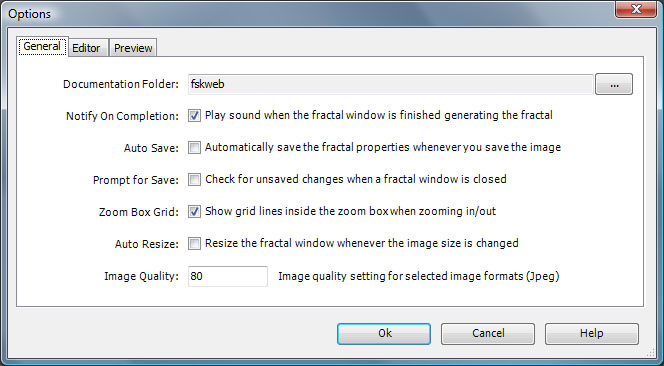
The General tab supports several options.
Documentation Folder sets the location of the Fractal Science Kit documentation folder you downloaded/extracted. This is required before you can view the Fractal Science Kit documentation. See Installing the Documentation for details.
The Documentation Folder field is read-only. Click the button labeled '...' to the right of the field to open the Browse For Folder dialog, and navigate to, and select, the Fractal Science Kit documentation folder. This populates the Documentation Folder field with the path to the folder. In the example above, the downloaded file was extracted into a folder called fskweb in My Documents.
Notify On Completion allows you to play a sound when the fractal window is finished generating the fractal. Uncheck this property if you do not want the notification.
Auto Save automatically saves the fractal properties whenever you save a fractal image. The fractal properties file is saved in the same folder and given the same name as the fractal image file, except that the fractal properties file has the .xml extension. Check Auto Save to turn on this feature.
Prompt for Save instructs the application to check for unsaved changes to the fractal properties whenever you close the fractal window and prompt you to save the changes.
Zoom Box Grid adds grid lines to the zoom box for additional control when you Zoom In or Zoom Out.
Auto Resize automatically resizes the Fractal Window whenever you change the fractal image size.
Image Quality controls the JPEG compression applied to fractal images that you save using the JPEG image format. The default value of 100 results in the highest quality image with minimal compression so the file size is large. Reducing the Image Quality increases the compression resulting in smaller files.
Editor
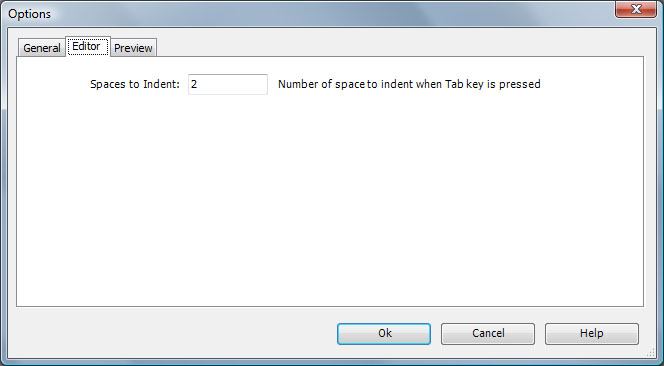
The Editor tab supports a single option named Spaces to Indent. This option sets the number of spaces to insert (delete) when you press the Tab key (Shift Tab key) or when you invoke the Increase Indent (Decrease Indent) command, when editing code.
Preview
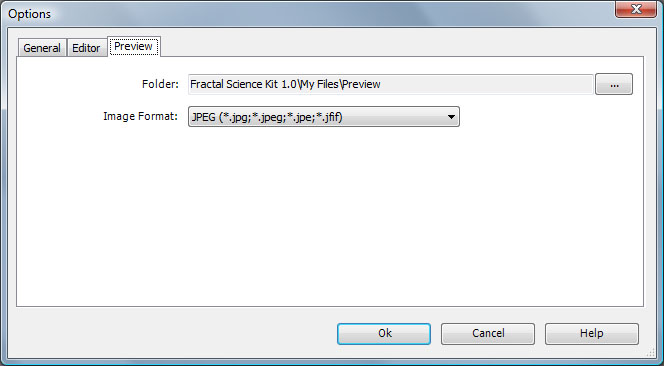
The Preview tab supports a 2 options to specify information required by the Preview Window Save command. When you click the Save toolbar button on the Preview Window, the resulting properties file and image file are saved in Folder. The format of the image file is given by Image Format.