
Generating Multiple Images
To generate multiple images you use the Generate Image Set command on the Tools menu of the Fractal Window.
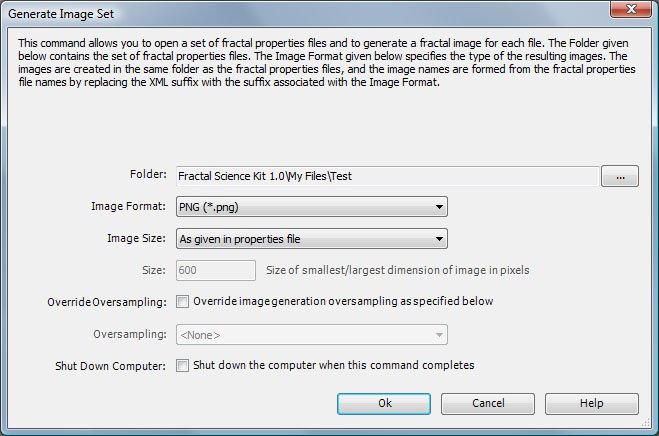
When you execute the command, the Generate Image Set dialog is displayed so you can select a Folder and Image Format. The command opens each fractal properties file found in Folder, generates the associated fractal, and saves the image in the given Image Format. The image file name is the same as the fractal properties file but with the XML suffix replaced by one appropriate for the image type.
The Image Size option is used to resize the set of images based on the Size option. If Image Size is As given in properties file, the images are not resized. If Image Size is Set smallest dimension to Size, the images are resized such that the smallest dimension is set to the value given by the Size option and the other dimension is set to maintain the aspect ratio of the original image. If Image Size is Set largest dimension to Size, the images are resized such that the largest dimension is set to the value given by the Size option and the other dimension is set to maintain the aspect ratio of the original image.
Check Override Oversampling if you want to override the Oversampling property given in each properties file with the setting given on this dialog.
The Shut Down Computer option can be checked to shut down the computer when the command completes.
The Ok button initiates the image generation.
The Cancel button cancels the request and closes the dialog.
The Help button opens the documentation in your browser to this page.